Check the route in
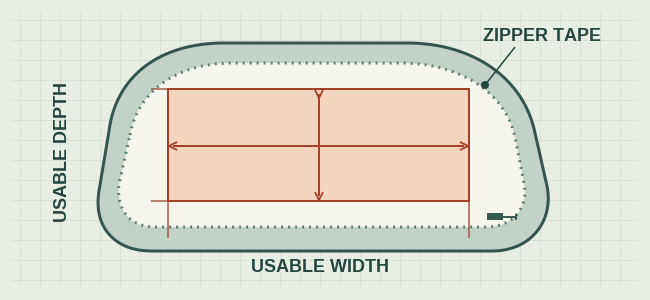
Unzip the bag fully. Hold a ruler level between the inner zipper edges to measure the width and depth. Measure the closed box across its latches separately.
Measure the zipper openingThe commuter fit checker
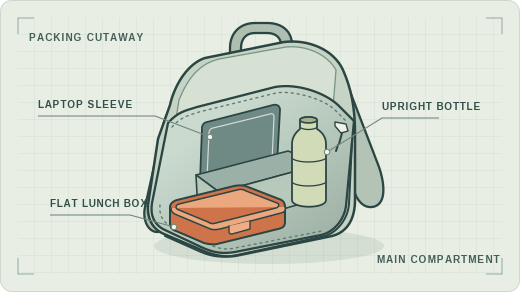
Check that your lunch stays flat, your bottle stays upright and your laptop has room in its sleeve.
Enter usable measurements in centimeters.
Take clear inside measurements with the bag in the shape you normally pack it.
Unzip the bag fully. Hold a ruler level between the inner zipper edges to measure the width and depth. Measure the closed box across its latches separately.
Measure the zipper opening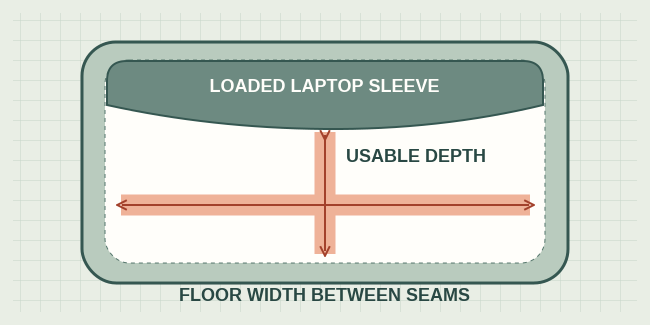
Put the laptop in its sleeve first. On the floor of the bag, measure between the side seams and from the sleeve’s loaded surface to the front lining.
Measure the main compartment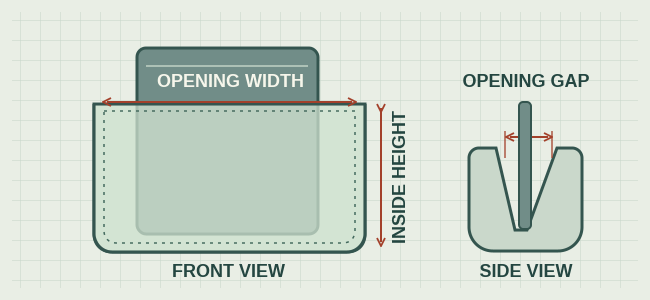
Measure the closed laptop at its longest, widest and thickest points. Then measure the sleeve mouth and the space between the padded walls below it.
Measure the laptop sleeve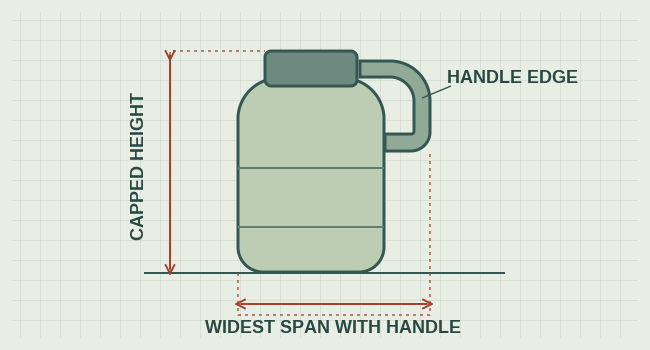
Measure from the table to the highest point of the capped bottle. Use two upright books and a ruler to find the widest span with the handle in its travel position.
Measure the bottle and handleIllustrative examples
Load a set of measurements in the full checker to see which part of the bag controls the result.
24 × 18 cm box · 23 × 19 cm opening
The latches need 1 cm more width. Turn the box 90° and the long side needs 5 cm more depth. Ask the seller for both clear opening dimensions.
Load dimensions24 × 18 cm box · 20 × 25 cm opening
The latches are 4 cm too wide as measured. Turn the box to 18 × 24 cm and it clears the opening with 1 cm to spare front to back.
Load dimensions20 × 14 cm box · 7.5 cm bottle · 25 × 16 cm floor
Even with the box and bottle in opposite corners, they overlap. At the same depth, the floor needs about 2.5 cm more width.
Load dimensionsA small measured clearance is a reason to try the exact movement you’ll make when packing or unpacking.
Make a stiff cardboard cutout of the closed box and mark the first corner that touches. Try again after a quarter turn, keeping the cutout level.
Make a full-size cutoutStand the bottle away from the front edge, then check the closing height over both sides of the cap. If the lid slopes, the lowest point controls.
Check height under the zipperLoad lunch and water, then lift the laptop until it stops. Check whether the sleeve mouth pinches or another item blocks the lift path.
Check the loaded exit pathAsk the seller for the zipper width and depth at the same level, the usable floor with a laptop loaded, and the sleeve’s clear inside dimensions. Those readings let you compare the bag against the gear you already carry.