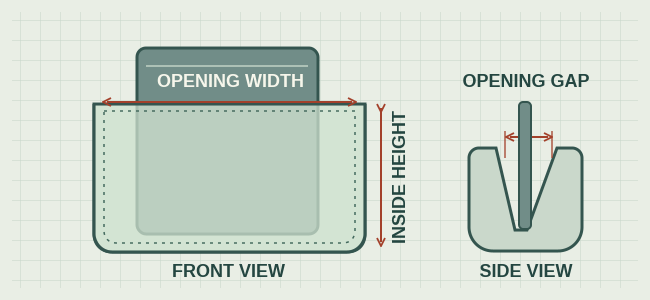
Set the closed laptop on a table. Hold a ruler upright beside the deepest corner, then compare the left side, right side and hinge. If the shell has raised bumpers, measure to the highest bumper rather than to the flat top panel. Use that thickness for the gap check.
Hold the sleeve mouth in its usual open position. Lay the ruler across the front and back padding near one stop, in the middle, and near the other stop. Record the tightest reading along the edge you plan to insert. Repeat between the inner padded faces below the mouth. The opening and inside can be different gaps.
Illustrative example
The bare body is 1.65 cm thick; the shell adds 0.25 cm below it and 0.20 cm above it. That gives 2.10 cm at the measured section. The sleeve mouth is 2.00 cm, so the cased laptop is 0.10 cm too thick there even if the interior opens wider.
When the difference is as small as one ruler mark, try the cased laptop without pulling on the zipper. Check that the lip releases it just as easily when you pull it back out.